Securing the handle is step one. Most people stop there, accept every default, and quietly hurt their own reach and security for months. Before you post anything on a fresh Instagram account, work through this checklist — it takes about fifteen minutes.
Security First (Do These Immediately)
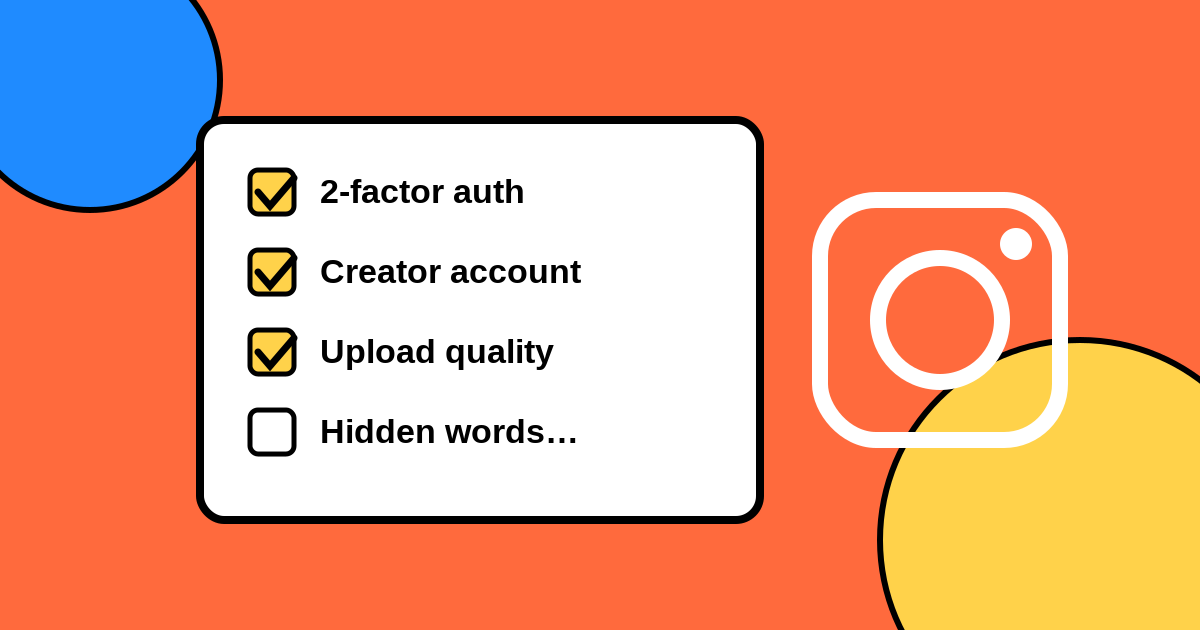
- 1. Two-factor authentication — with an app, not SMS. Settings → Accounts Center → Password and security. Use an authenticator app; SMS codes can be stolen through SIM-swapping, and new accounts with good handles are prime targets.
- 2. Save your backup codes somewhere offline. If you lose your phone, these are what stand between you and losing the account.
- 3. Add a recovery email you actually check. Account recovery with no valid email is close to hopeless at Instagram's scale.
Visibility and Reach
- 4. Switch to a Professional (Creator or Business) account. Free, reversible, and it unlocks insights so you can see what's working from day one.
- 5. Turn on highest upload quality. Settings → Media quality. Instagram compresses aggressively on slow connections by default; this flag tells it to prioritize quality.
- 6. Write your bio for search. The name field (not just the handle) is searchable — "Steve | Web Designer" is findable by "web designer", plain "Steve" is not.
- 7. Add alt text to every post. The option is under Advanced settings when posting. It helps visually-impaired users and gives Instagram's systems real information about your content.
Sanity and Spam Control
- 8. Set up Hidden Words. Settings → Hidden Words auto-hides comment spam and scam DMs — new accounts get flooded with "promote it on…" bots within days.
- 9. Limit message requests. Decide upfront who can DM you and who lands in requests; changing this later is much easier than digging out of an inbox of spam.
- 10. Review tagging permissions. Require tag approval so spam accounts can't attach your fresh brand to junk giveaways.
Profile Basics That Make a New Account Look Real
People decide whether to follow in a couple of seconds, and a new account has no follower count to lean on. The profile itself has to do the convincing.
- Use a profile photo that survives being tiny. It is shown as a small circle almost everywhere. A face cropped close or a simple mark on a plain background reads well; a full-body shot or a detailed logo turns into a smudge.
- Say what you post and who it is for. "Weeknight vegetarian recipes, new one every Tuesday" beats a line of emoji and a motivational quote. Give a visitor a reason to expect something.
- Use the link slots. Instagram lets you add more than one link to a bio. Put the most important one first, because the rest sit behind a tap.
- Match the name people already know. If you are known by a handle elsewhere, use the same one here. Our guide to choosing a username covers what to do when it is taken.
Your First Week of Posts
An empty grid is the most common reason a profile visit does not turn into a follow. Before you tell anyone the account exists, publish enough that it looks lived in: somewhere between six and nine posts is plenty to fill the first screen.
Pin the posts that best explain the account to the top of the grid. Instagram allows a small number of pinned posts, and they are the first thing a new visitor sees, so treat them as your introduction rather than leaving the slot to whatever you happened to post last. After that, a steady rhythm you can actually keep matters more than a burst of daily posts followed by three weeks of silence.
Mistakes That Get New Accounts Restricted
Fresh accounts are watched more closely than established ones, because that is what spam looks like. Avoid the behaviour that resembles it:
- Mass following and unfollowing. Following hundreds of accounts in your first days is the quickest route to a temporary action block.
- Pasting the same comment everywhere. Repeated identical comments are treated as spam even when they are friendly.
- Buying followers or engagement. Fake followers do not watch, like or buy, so they drag down the share of your audience that responds, and the purchased accounts tend to be removed later anyway.
- Handing your password to third-party apps. Tools that ask you to log in with your Instagram password are a leading cause of stolen accounts. Legitimate tools connect through Instagram's own authorization screen.
One More Thing: Lock the Handle Everywhere Else
The week you launch on Instagram is the week to claim the same name on TikTok, YouTube, X, and the .com — even if those profiles sit empty for a year. Impersonation is far easier to prevent than to undo. Run your new handle through our availability checker to see where it's still free, and register the important ones today.
Fifteen minutes of setup buys you months of better data, fewer scams, and an account that's dramatically harder to steal. Do it before the first post — you'll never have a quieter moment on the account than right now.
Share this article